Virtual Card Payments
This is a complete guide to making payment with your virtual credit card. It contains important information, including what to do should your transaction be declined, so make sure to read it thoroughly.
Once you have signed the AOD for your booking you will be issued with a virtual card to make the payment directly to the vendor.
* NOTE -> If it is your first time applying for a virtual card you will be prompted to complete the FICA process before your card can be issued. There is an application form you will need to complete wherein you confirm your personal and residential information. You will also need to provide a valid Proof of Address (POA) as part of this process.
Click the View Virtual Card button to continue:
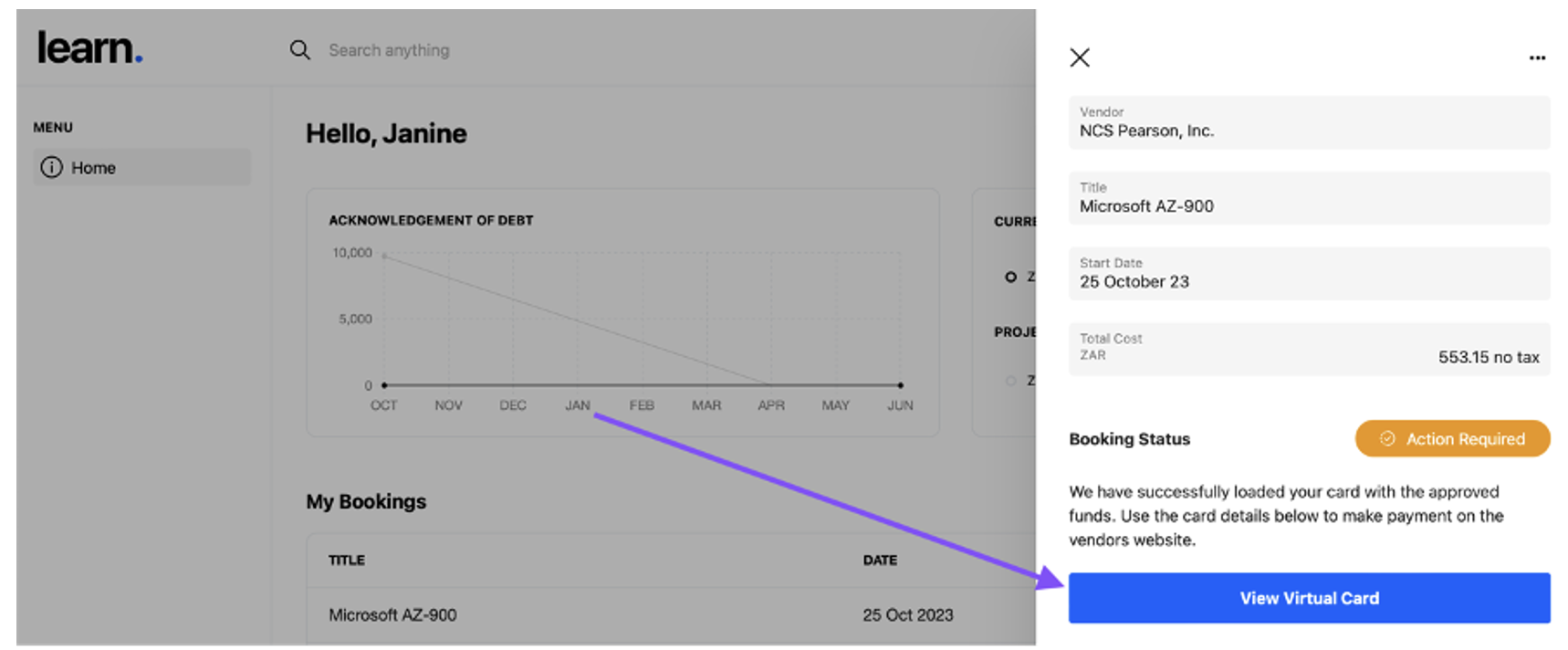
You can now see your personal virtual card details. Use these to make the online payment of your booking. To do this you need to go to the vendor’s online payment portal and book and checkout with the credit card payment option.
Once you have paid for your booking and received the proof of payment, go back to your booking window and click in the upload field to select the document and upload it:
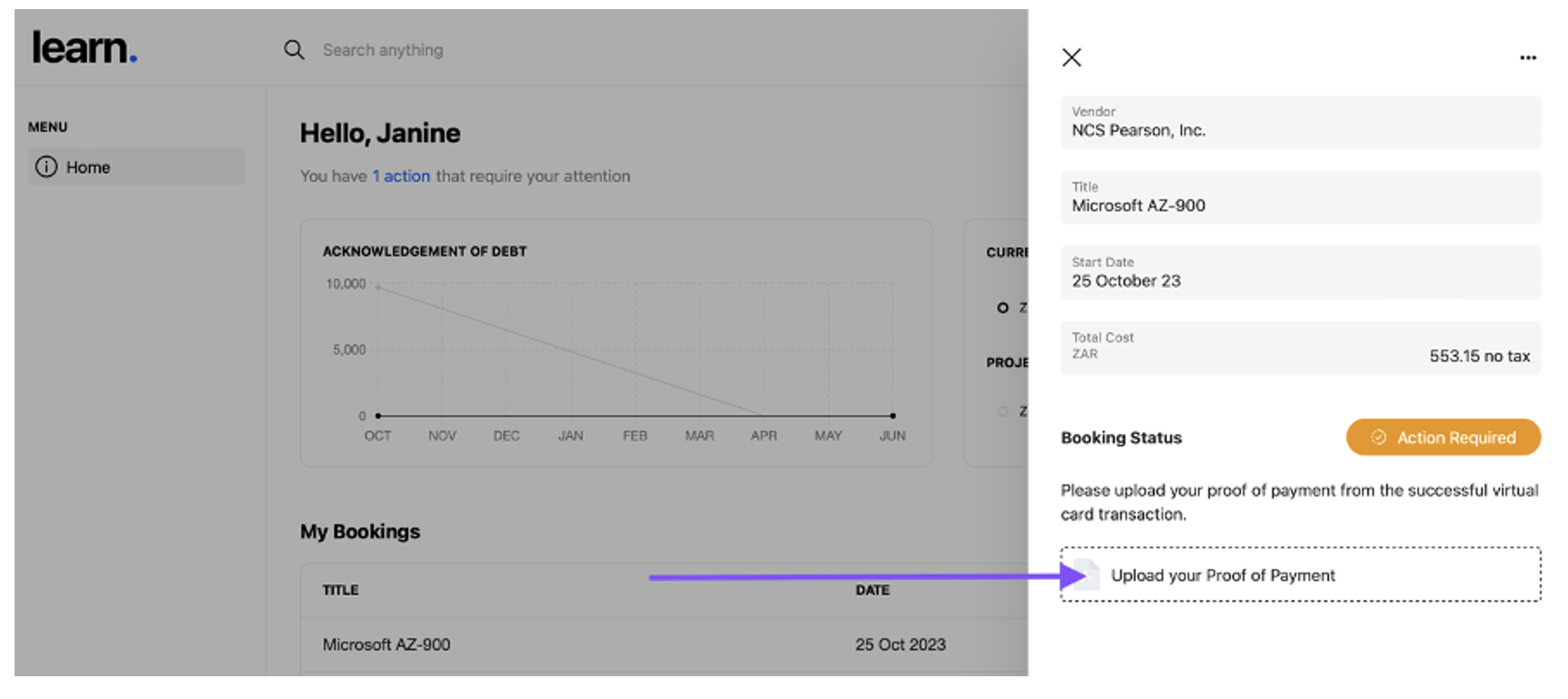
The payment confirmation could be a screenshot of the successful payment screen on the vendor’s online payment portal or the email confirmation they send to you after you have completed the payment.
Important Payment Information:
The Virtual Cards cannot be refunded. Once the card is issued, you will be liable for the full AOD if you cancel the booking. If you cannot complete your booking on the intended date, reach out to the vendor to see if you can reschedule. If you are able to reschedule then you can reach out to the L&D team to let them know that the booking dates have changed.
There are fees for declined transactions. Each time a transaction fails, a fee is deducted from your balance. So, if you attempt your payment and the transaction is unsuccessful do not keep trying. Reach out to support so that the issue can be investigated. If you make numerous failed attempts at payment you will deplete the funds on your card and may need to submit another booking to top up the funds.