Learn Vendor Booking Process Options
There are 2 different options for creating your booking with an onboarded Learn Vendor. The process that is right for you depends on whether you know exactly what you need to book or, whether you are not 100% sure yet. The 2 options are:
1. Via the Booking Form
2. Via Browse Catalogue
1. Booking Form
If you know the provider and title of the booking you want to submit that’s great! You can head straight to the Booking Form to submit your request.
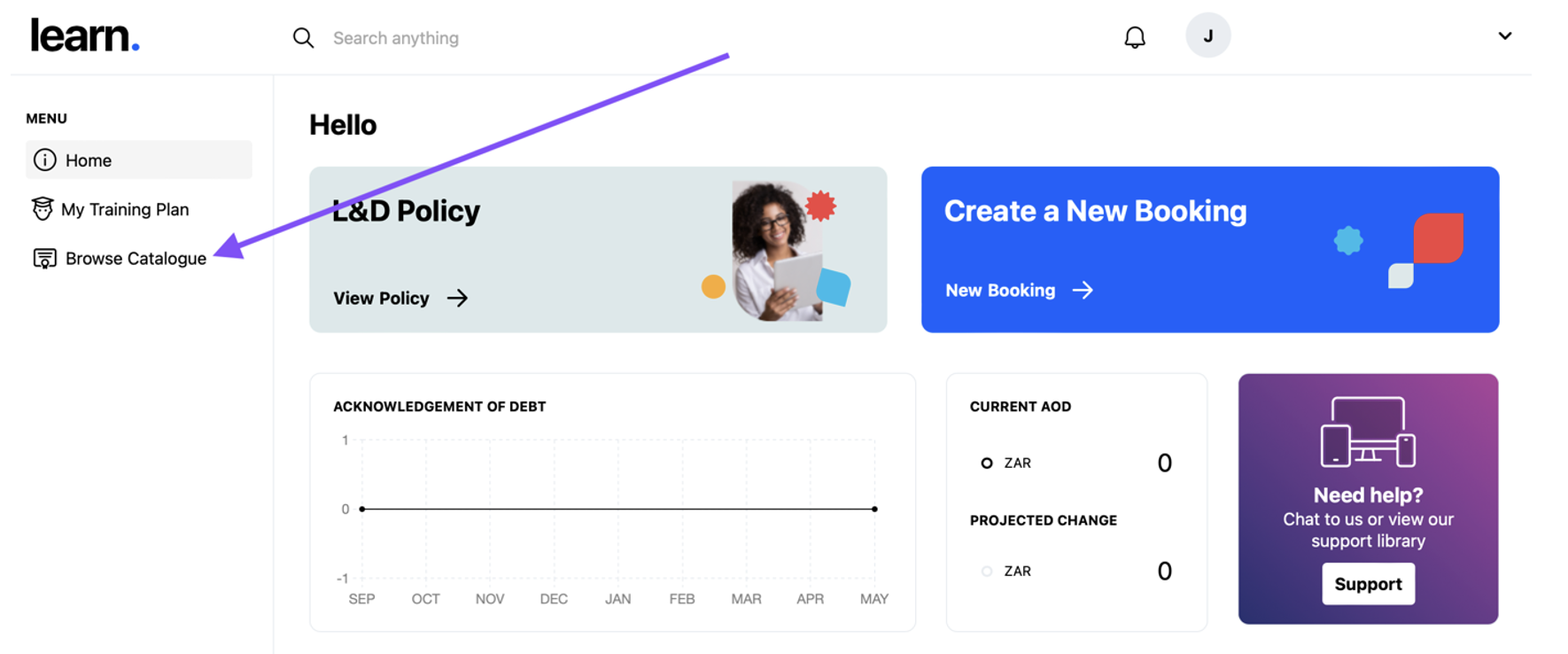
Click on the New Booking link in the blue block in the top right of your screen to open the booking form.

For a complete guide on this booking process click here.
2. Browse Catalogue
If you are not 100% sure of the right thing to book, if you want to research your options, or, if you have any questions about a provider or a specific course, then the catalogue is where you should start. Just click on Browse Catalogue in the menu on the left of your screen to be directed to a variety of courses and certifications that could be right for you:
For a complete guide on this booking process click here.